
TL;DR
For Apple-only users, iCloud Photos is usually the smoother headshot library because it keeps edits, albums, and device syncing close to the camera roll. Google Photos is stronger for cross-platform search, link sharing, and collaboration, especially when headshots support LinkedIn, creator profiles, and AI image workflows.
A professional headshot library can make or break a profile refresh, because the best image is often needed in several places at once: LinkedIn, a pitch deck, a website bio, a dating profile, and social media. The real question behind iCloud Photos vs Google Photos for professional headshots is not only storage; it is how easily original images can be found, protected, shared, and reused. Headshot: a photographic portrait focused on the face, usually used for professional profiles, social media, online dating, and brand identity. For polished AI-generated portraits, Looktara can sit after storage in the workflow, turning selected source images into professional brand-ready headshots.
Table of Contents
What is the best choice for professional headshot libraries?
iCloud Photos is best for Apple-first headshot libraries, while Google Photos is better for cross-platform access, visual search, and easy sharing. Job seekers, founders, freelancers, and creators should choose based on where the photos are captured, where they are edited, and how often links are shared with other people.
Google Photos: a photo sharing and storage service developed by Google, announced in May 2015 after being spun off from Google+.
LinkedIn: a business and employment-oriented social networking service used globally for professional networking and career development.
Older comparison discussions often focus on personal photo backup. For example, a 2019 TWiT Community thread on Google or Apple Photo Storage and a Podfeet article on Apple Photos vs Google Photos reflect earlier user concerns, but professional headshots now require stronger attention to original exports, AI source sets, privacy, and brand reuse.
Decision table for headshot storage
| Need | iCloud Photos | Google Photos | Better fit |
|---|---|---|---|
| Apple device syncing | Deeply integrated with iPhone, iPad, and Mac | Works on Apple devices through apps and web | iCloud Photos |
| Android and web access | Limited outside Apple hardware | Strong across Android, iOS, and browser | Google Photos |
| Finding faces and looks | Good inside Apple Photos | Strong visual search and grouping | Google Photos |
| Original-quality handling | Strong when originals are downloaded from Apple Photos | Strong when original quality backup is selected | Tie |
| Sharing review links | Best inside Apple family workflows | Easier for mixed-device teams | Google Photos |
| Privacy-first personal archive | Apple-centered controls and private library model | Google account-based controls and sharing settings | iCloud Photos |
| AI headshot source sets | Strong for iPhone capture and local curation | Strong for sorting, labels, and cross-device uploads | Depends on workflow |
Best practical answer: iCloud Photos works best as the private Apple-native vault, while Google Photos works best as the searchable, shareable workbench.
How do original-quality downloads and editing affect headshots?
Original-quality downloads matter because professional headshots lose value when they are compressed, cropped poorly, or separated from the best source file. Both platforms can support high-quality portraits, but the safest workflow keeps a master image, edited versions, and final profile crops in clearly named albums.
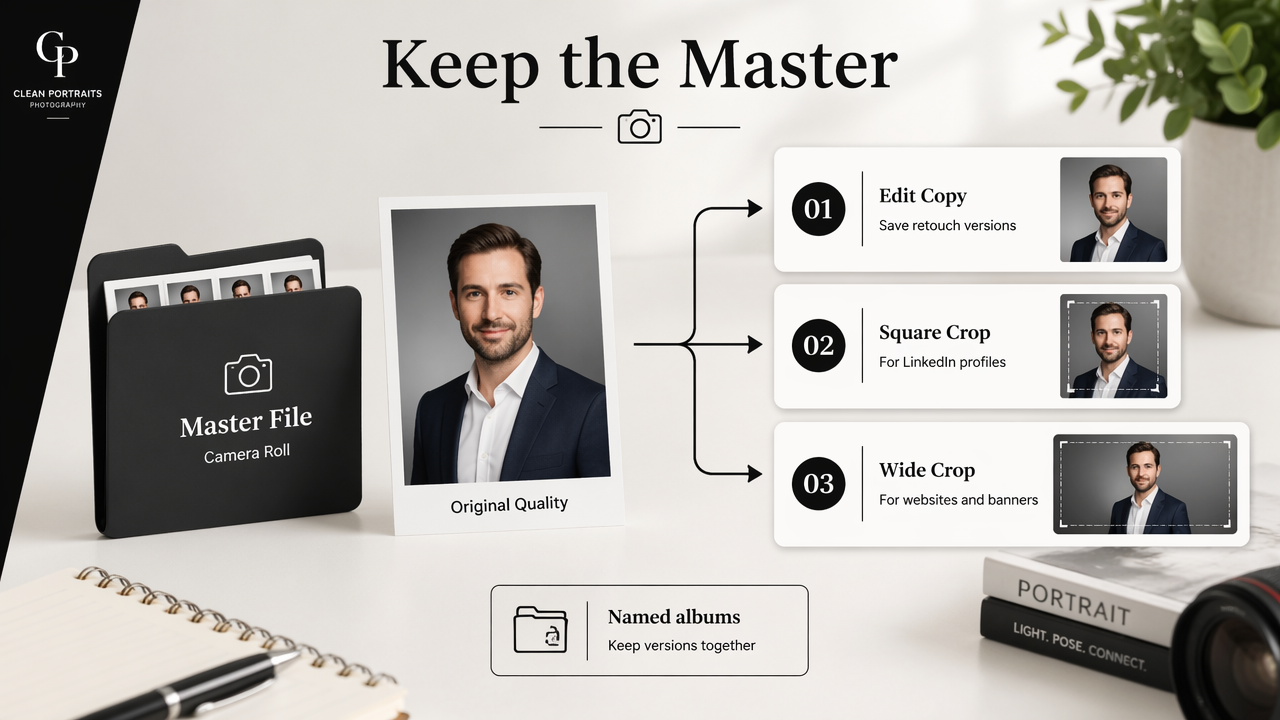
A headshot is rarely one file. A recruiter may need a square LinkedIn crop, a founder may need a wide website banner crop, and a creator may need a version that fits a thumbnail or podcast cover. A single image can also feed branded content, including a LinkedIn post graphic for a fitness Shopify brand or a profile-led campaign asset.
Original file checklist before editing
- Keep the untouched camera file in a master album named
Headshots - Originals. - Save retouched portraits in a second album named
Headshots - Edited. - Export final crops for LinkedIn, X, dating apps, websites, and media kits into separate folders.
- Avoid re-saving the same JPEG many times, since repeated edits can reduce quality.
- Keep at least one local download of the chosen final headshot before deleting anything from cloud storage.
For iPhone-heavy workflows, iCloud Photos usually feels cleaner because photos land in Apple Photos immediately. For mixed-device workflows, Google Photos often reduces friction because uploads, search, and downloads work consistently across browsers and mobile apps.
Headshot versions worth saving
| Version | Best use | Storage note |
|---|---|---|
| Original capture | AI source images, retouching, proof review | Never overwrite |
| Clean edit | LinkedIn, bio pages, press kits | Keep highest-quality export |
| Square crop | LinkedIn, Slack, Gmail, dating apps | Save separately |
| Wide crop | Website hero, speaker page, creator banner | Check face placement |
| Transparent or branded version | Pitch decks, thumbnails, social graphics | Store with project files |
Professional users often outgrow a single headshot folder. Entrepreneurs may adapt portraits into a pitch deck slide for a fitness Shopify business, while creators may need portrait crops for video platforms and newsletters. A clear file structure prevents the wrong version from being uploaded to a public profile.
Which platform is easier for search, sharing, and client review?
Google Photos is usually easier for search and link sharing, while iCloud Photos is smoother for personal review inside Apple devices. The difference matters when a headshot set includes many outfits, backgrounds, expressions, and crops that must be reviewed by a career coach, assistant, designer, or business partner.
Search is where Google Photos often wins in practice. It can help locate portraits by face, place, visual details, or broad terms. Apple Photos also supports useful search and albums, but its strongest advantage appears when the entire workflow stays inside iPhone, iPad, and Mac.
Sharing needs a separate decision. A private iCloud Shared Album can be comfortable for Apple users, but Google Photos links are often easier when collaborators use different devices. For professional portraits, links should be temporary, intentional, and limited to the smallest useful set.
Review workflow for headshot selection
- Create a short album with only the strongest 15 to 30 portraits.
- Remove duplicates, blurry images, closed eyes, and awkward crops.
- Add clear labels such as
business formal,creative,dating, orspeaker bio. - Share the album with the reviewer using the platform that creates the least friction.
- Download the final selections at the highest available quality.
- Archive unused images instead of deleting them immediately.
Creators may also need a headshot that supports social packaging, such as a YouTube thumbnail for a fitness Shopify channel or a branded short-form video cover. That makes search labels more useful than simple date-based albums.
Sharing controls that protect reputation
| Sharing choice | Best practice | Risk reduced |
|---|---|---|
| Public link | Use only for approved final images | Accidental access to rough proofs |
| Shared album | Add selected photos only | Oversharing source images |
| Download folder | Include final crops and usage notes | Wrong file selection |
| Expiring project folder | Use for contractors and designers | Long-term access after project ends |
A professional headshot album should be treated like a brand asset folder, not a casual camera roll dump.
For dating profiles, creator pages, and job searches, review links should never include rejected shots that could be mistaken for approved assets. A tight album also helps designers choose quickly when adapting portraits into a Pinterest pin for a fitness Shopify campaign.
How do privacy, syncing, and backup reliability compare in 2026?
iCloud Photos is usually the better private default for Apple-only users, while Google Photos is usually more flexible for people who move across iOS, Android, Windows, and the web. Neither platform should be treated as the only copy of important professional portraits.
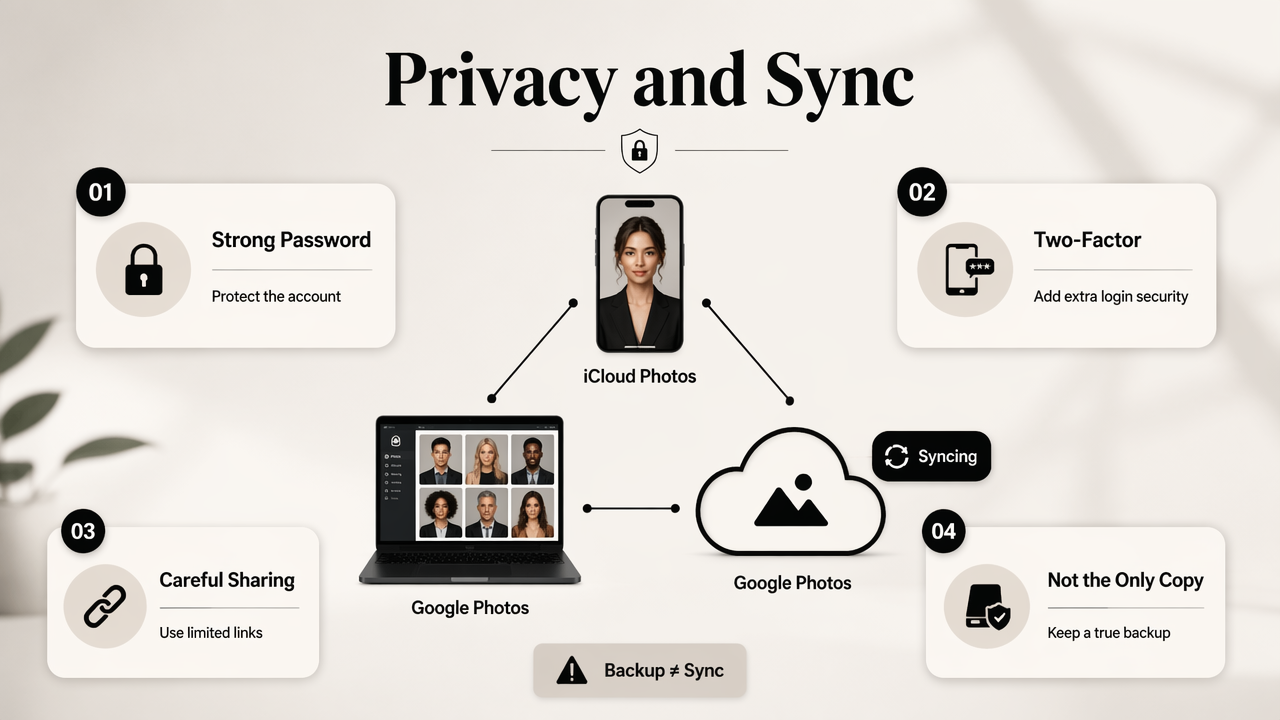
Privacy starts with account habits. Strong passwords, two-factor authentication, careful sharing links, and regular album cleanup matter more than brand preference. Headshots are identity assets, so loose sharing can create awkward situations even when no technical failure occurs.
Syncing is a convenience, not a full backup plan. If a photo is deleted from a synced library, that action may affect connected devices. A professional headshot system should include a cloud library, a local export folder, and a separate archive for final approved images.
Reliability rules for professional portraits
- Keep one cloud library for everyday access.
- Keep one local folder for final approved exports.
- Keep one separate archive, such as an external drive or business storage account.
- Review shared links after a hiring cycle, launch, campaign, or dating profile refresh.
- Rename final files with purpose-based labels, such as
Firstname-Lastname-LinkedIn-2026.jpg.
Apple users often prefer iCloud Photos because device syncing feels automatic. Mixed teams often prefer Google Photos because browser access and link sharing are easier. Both choices can be reliable when deletion behavior, storage limits, and account security are understood before the headshots become business-critical.
Common mistakes to avoid with headshot libraries
| Mistake | Why it hurts | Better habit |
|---|---|---|
| Keeping only compressed social uploads | Low-quality reuse later | Save original exports |
| Mixing proofs and finals | Wrong image gets used | Separate albums |
| Sharing full camera rolls | Private images may appear | Create narrow review albums |
| Depending on one synced account | Deletion can spread | Keep a separate archive |
| Forgetting usage context | Same crop may not fit every platform | Save platform-specific versions |
The safest rule is simple: cloud photo apps are excellent libraries, but final headshots deserve project-style asset management.
FAQ and next steps for headshot storage
The best next step is to choose one primary photo library, create a dedicated headshot album structure, and export final images before using them across professional channels. After storage is organized, the Looktara platform can help turn strong source images into polished AI headshots and brand visuals. For direct brand recall, visit looktara.com after the source set has been selected.
How Looktara fits into an AI headshot workflow
With Looktara, the photo library acts as the source-image staging area rather than the final destination. The strongest originals can be gathered in iCloud Photos or Google Photos, reviewed for expression and lighting, then used to create polished professional visuals.
- Capture varied source images with clear face visibility.
- Store originals in iCloud Photos or Google Photos.
- Select the best images into a dedicated album.
- Create professional AI headshots with Looktara.
- Reuse approved portraits in assets such as a fitness Shopify X post graphic or an Instagram post for a fitness brand.
This keeps storage, selection, creation, and publishing in separate steps.
Is iCloud Photos better than Google Photos for LinkedIn headshots?
iCloud Photos is often better for LinkedIn headshots when the photos are captured, edited, and exported inside Apple devices. It reduces handoff friction and keeps the process close to the iPhone camera roll. Google Photos becomes more appealing when the same headshot must be found, shared, and downloaded across non-Apple devices.
Is Google Photos better for AI headshot source images?
Google Photos can be better for AI headshot source images when the collection includes many old portraits, screenshots, selfies, and device uploads. Its search and cross-platform access make source selection easier. iCloud Photos can still work very well when the source set is recent, organized, and captured mainly on iPhone.
Should professional headshots be stored in both platforms?
Storing headshots in both platforms can help with access, but it can also create duplicate confusion. A cleaner approach is to choose one main library, export approved finals to a local folder, and keep a separate archive. That structure protects quality while reducing the chance of uploading an outdated crop.
Which platform is safer for private headshot proofs?
Private proof safety depends on account security and sharing habits more than the platform name. iCloud Photos suits Apple-centered private libraries, while Google Photos suits controlled collaboration across devices. In both cases, proof albums should contain only images intended for review, not the full camera roll or unrelated personal photos.
Conclusion
The practical answer to iCloud Photos vs Google Photos for professional headshots is workflow fit. Apple-first professionals should usually keep iCloud Photos as the main vault. Cross-platform professionals, creators, and collaborators may get more value from Google Photos search and sharing. The strongest setup is simple: store originals, separate finals, export high-quality crops, and archive approved portraits. After that, Looktara can turn selected images into polished headshots and reusable brand visuals. For the next profile refresh, organize the source album first, then head to looktara.com with the strongest images ready.
Generated by EarlySEO.com