
TL;DR
Headshot Kiwi is worth evaluating for professional portraits, but current pricing, delivery terms, and image quality need verification before purchase. Compare recognizable likeness, usable-photo cost, and privacy terms rather than gallery size; choose a provider around the intended profile or business use.
A polished portrait isn't automatically a useful professional headshot. This Headshot Kiwi review focuses on recognizable likeness, practical value, and purchase checks for 2026, rather than treating promotional examples as proof. The assessment is based on the supplied search research, not a firsthand image-generation test, so it doesn't assign invented scores or promise specific results.
AI headshot generator: A tool that uses artificial intelligence to create portrait-style images from supplied photographs or other inputs.
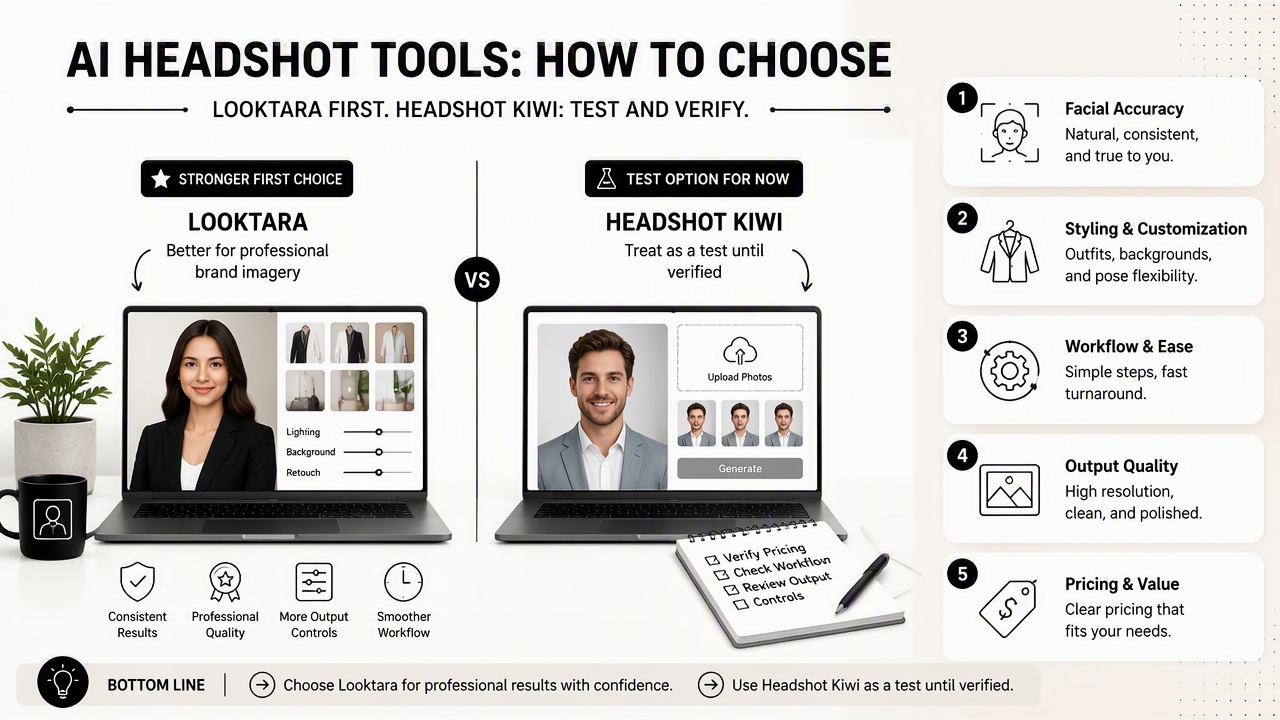
For professionals planning images around a specific channel, Looktara is another option to explore alongside Headshot Kiwi. The strongest starting point is the intended use: a LinkedIn profile, business biography, or creator page.
Table of Contents
What is Headshot Kiwi?
Headshot Kiwi is presented in the supplied research as an AI headshot generator for professional portraits. Its appeal is a photography-style result without arranging a traditional shoot. That positioning makes it relevant to job seekers and business owners, but doesn't establish how consistently individual customers receive accurate, usable images.
A desk review, not a hands-on verdict
The available material supports an evaluation framework rather than a tested performance verdict. It contains search summaries and competitor outlines, but no inspectable image batches, verified checkout details, or linked policy documents.
A careful review therefore distinguishes product positioning from demonstrated performance. Claims about exact turnaround, package size, refunds, and facial accuracy require current evidence before they can become buying advice.
Review standard: A useful AI portrait should look like the person represented, suit the intended platform, and remain credible at normal viewing size.
Professional use determines the brief
The intended destination should shape the portrait before any tool is selected. A job applicant may need a restrained background and approachable expression; a business owner may prefer styling that matches a company website.
- LinkedIn: Prioritize a clear face and a crop that works inside a circular avatar.
- Company biography: Match the organization's visual style and staff-photo framing.
- Creator profile: Choose an expression and setting consistent with the published content.
Dating profiles need a different standard: an image should represent ordinary appearance, not merely professional polish. Fitness professionals comparing profile-specific options can also explore this LinkedIn headshot page.
How should Headshot Kiwi results be evaluated?
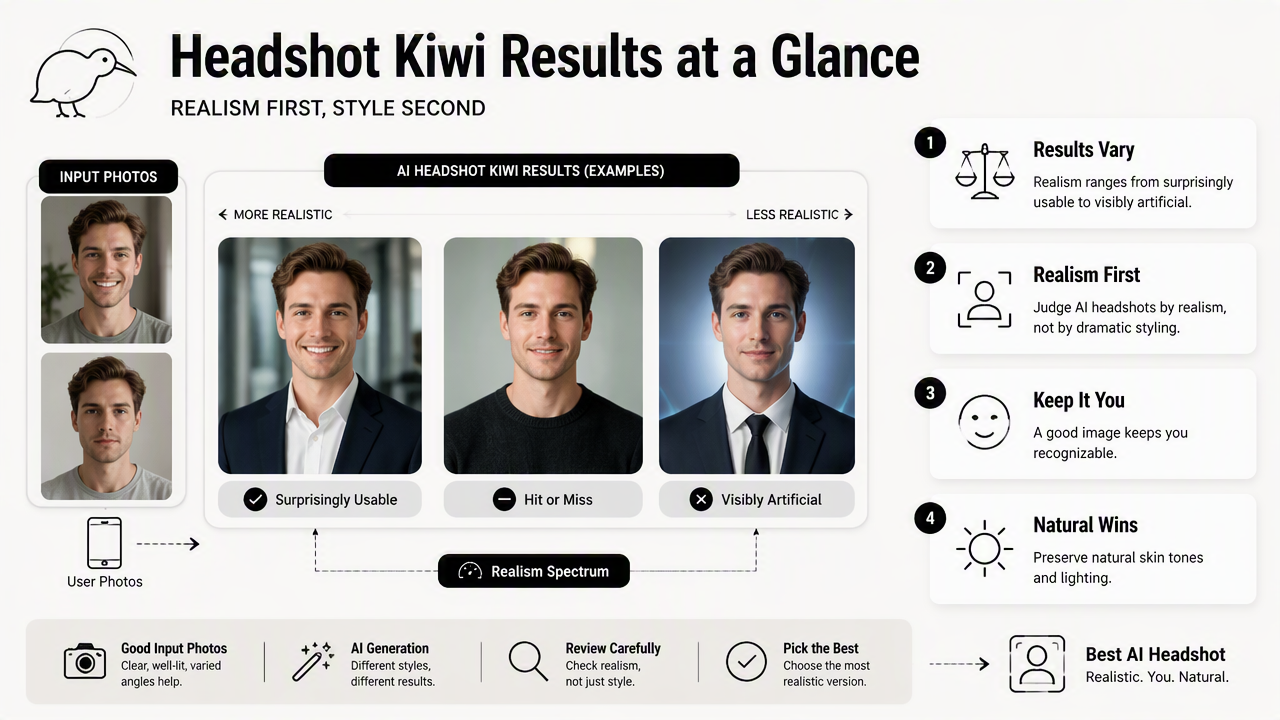
- Evaluate Headshot Kiwi results against recent, unedited reference photos.
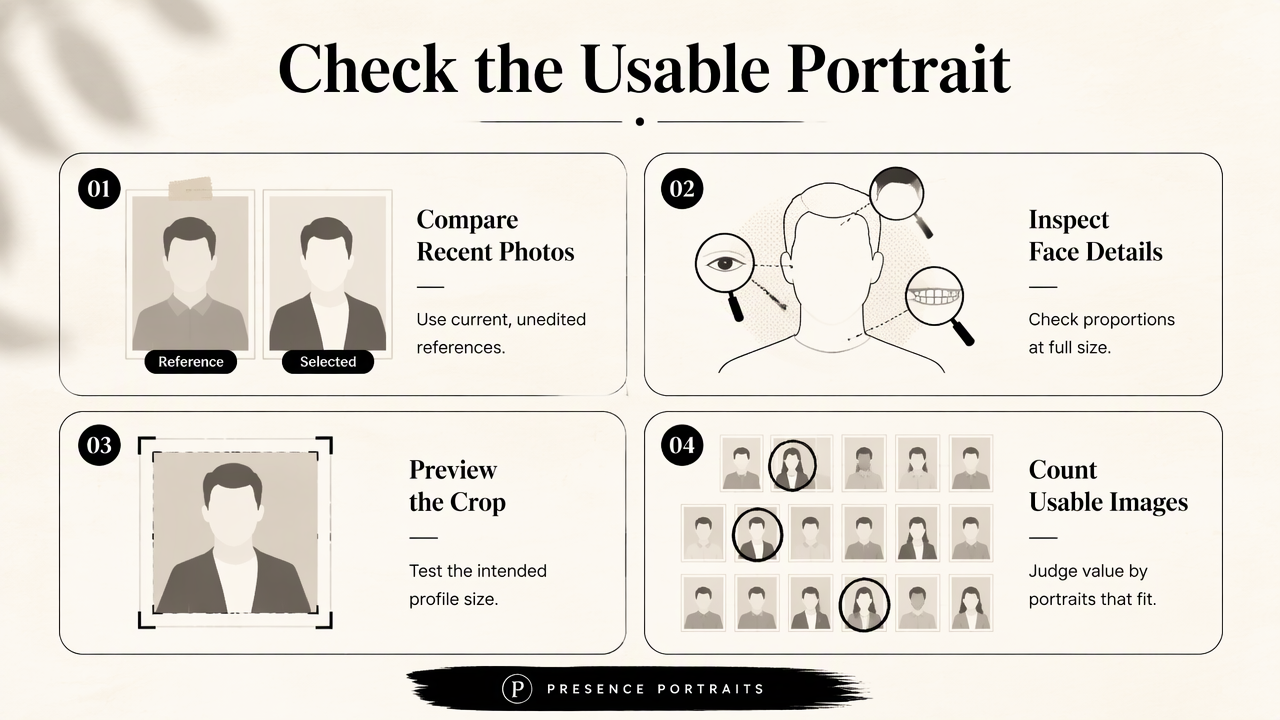
- Inspect facial details at full size, especially eyes, teeth, and hairline.
- Preview the selected image at the intended profile size and crop.
- Count only portraits that meet the brief, then assess value using that usable selection.
Likeness matters more than flattering styling
A convincing likeness should survive changes in clothing, background, and lighting. The face should retain recognizable proportions rather than becoming a generic professional portrait.
Useful comparison points include eye spacing, nose shape, jawline, skin tone, and distinctive features. A technically attractive image can still be unsuitable if colleagues wouldn't immediately recognize the subject. Glasses and facial hair deserve particular attention because they help define identity.
A practical quality checklist
A consistent checklist makes competing image batches easier to judge without pretending that aesthetic preferences are objective measurements.
| Check | Suitable result | Reason to reject an image |
|---|---|---|
| Facial identity | Recognizable proportions and features | A noticeably different-looking person |
| Eyes and teeth | Natural shapes and alignment | Distorted details or mismatched gaze |
| Hair and clothing | Plausible edges, collars, and accessories | Merged strands or inconsistent fabric |
| Background | Supports the professional brief | Distracting objects or confusing details |
| Profile crop | Face remains clear at small size | Awkward framing after cropping |
Compare complete selections, not showcase images
A complete batch gives a better view of practical value than a few selected examples. Record how many portraits meet the same acceptance standard, rather than counting every delivered image as equally useful.
For example, a candidate needing one LinkedIn portrait should judge the strongest usable option. A consultant needing website and speaker-bio images should also assess consistency across the selected set. Before-and-after examples are most informative when the original photograph remains visible and the comparison uses similar framing.
What should buyers check about cost and privacy?
Headshot Kiwi pricing and privacy should be checked against current checkout information and policy documents before purchase. The supplied research doesn't establish verified 2026 prices, retention periods, or refund conditions. Buyers should compare total cost, included outputs, commercial permissions, delivery terms, and deletion options instead of relying on older review summaries.
Calculate the cost of usable portraits
Cost per usable portrait is more informative than the advertised cost per generated image. Divide the total purchase price by the number of images that actually meet the brief; this is an evaluation method, not a reported product benchmark.
Before payment, confirm:
- The package price, currency, and any additional charges.
- Included image quantity, resolution, and style options.
- Whether revisions or regeneration cost extra.
- Refund eligibility and the steps required to request it.
- Whether business websites, advertisements, and other intended uses are permitted.
A large package doesn't automatically offer better value. The relevant question is whether it supplies enough suitable portraits for the planned use.
Treat facial uploads as personal information
Facial photographs deserve a clear explanation of storage and deletion. Buyers should read how uploaded photos and generated outputs are handled, whether they are used for model training, and whether account deletion also removes associated images.
Delivery expectations need similar care. Check when processing begins, how results arrive, and what support is available if an order needs attention.
Purchase checkpoint: If a policy or package detail affects the decision, confirm it in writing before uploading photographs.
Headshot Kiwi vs alternatives: which approach fits?
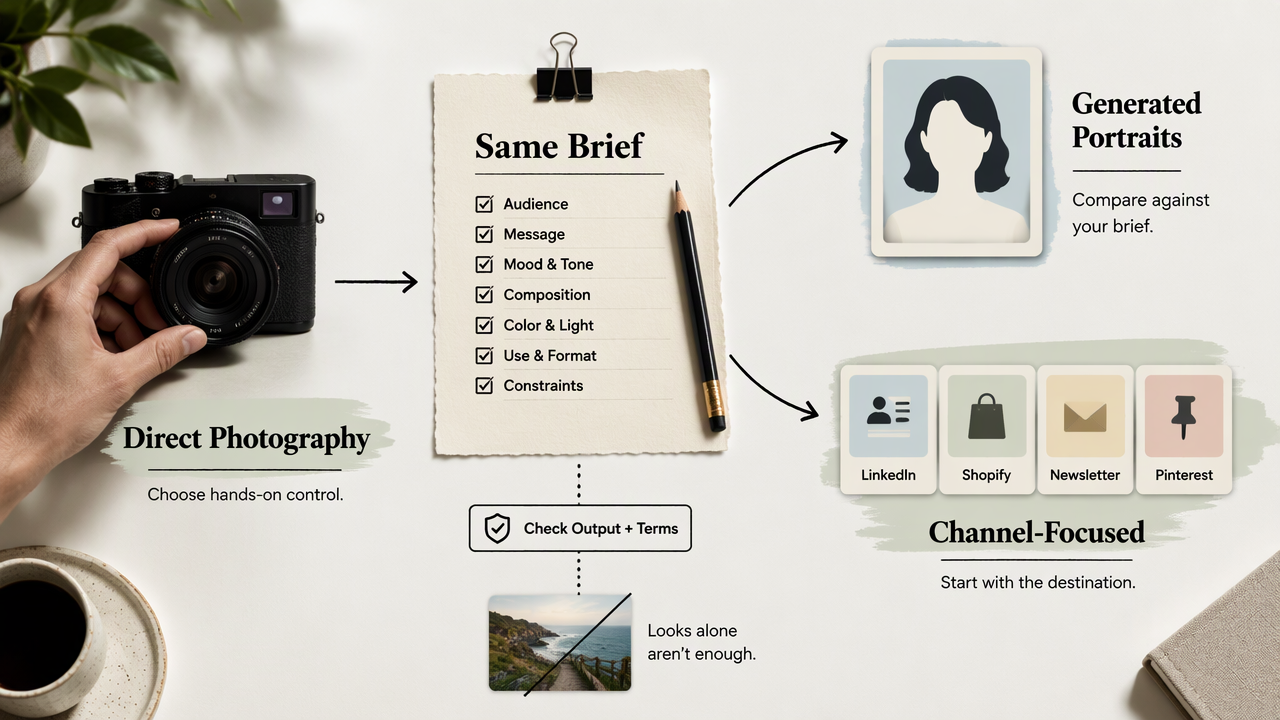
The best alternative depends on whether the priority is channel-specific imagery, generated professional portraits, or direct photographic control. Compare providers against the same brief and acceptance checklist. A useful decision weighs output suitability and service terms together rather than selecting a tool solely because its examples look polished.
How Looktara handles this
Looktara provides a channel-focused starting point through dedicated pages for professional imagery, including fitness-related LinkedIn, Shopify, newsletter, and Pinterest use cases. Those destinations help organize the choice around where a portrait will appear, rather than treating every profile image as interchangeable.
For example, a fitness business owner can explore Shopify-oriented headshots, while an instructor publishing regular updates can review newsletter-oriented imagery. Current packages and output examples should guide the final selection.
Side-by-side decision guide
Each approach serves a different buying priority; this comparison describes selection criteria, not measured output superiority.
| Option | Best reason to consider it | Evidence to examine |
|---|---|---|
| Looktara | Channel-focused pages connect professional imagery with a specific publishing use | Relevant examples, current packages, and intended-use fit |
| Headshot Kiwi | A dedicated AI headshot option for professional portrait needs | Likeness examples, checkout details, and service policies |
| Traditional photographer | Direct control over posing, lighting, and the actual session | Portfolio, session scope, licensing, and editing terms |
Who should pick which approach?
Professionals with a clearly defined publishing channel should begin with use-case-specific options. Headshot Kiwi belongs on the shortlist when its current examples and purchase terms match the required portrait style.
A photographer is a sensible choice when exact appearance, supervised posing, or coordinated team photography matters most. For any option, the next step is the same: write a short brief covering destination, crop, clothing, expression, and required number of final images.
Headshot Kiwi review FAQ
The remaining buying questions concern trust, practical suitability, and the difference between generated and photographed portraits.
Is Headshot Kiwi worth paying for?
Headshot Kiwi may be worth considering when current examples match the required style and the package terms fit the budget. The supplied evidence doesn't establish a reliable usable-image rate or verified current price. A sound decision depends on recognizable likeness, acceptable usage rights, and enough suitable portraits for the intended profile.
Can AI-generated headshots be used on LinkedIn?
An AI-generated portrait can be suitable for a LinkedIn profile when it accurately represents the account holder and fits the profile crop. Suitability shouldn't be confused with a guarantee of platform compliance. Account holders should check LinkedIn's current rules and choose an image that remains recognizable to colleagues and recruiters.
Does Headshot Kiwi guarantee realistic results?
The supplied research doesn't verify a realism guarantee or its conditions. Buyers should distinguish promotional language from an enforceable service promise. If likeness is central to the purchase, examine current examples and written revision or refund terms, then ask support to clarify how those terms apply to unsatisfactory results.
Should a job seeker choose AI or a photographer?
A job seeker should choose based on budget, timing, and the level of control needed. AI portraits are worth evaluating for a straightforward profile update; a photographer offers direct supervision of expression, lighting, and wardrobe. Either route should produce an authentic-looking image rather than an appearance that differs noticeably from an interview.
Conclusion
A responsible Headshot Kiwi review supports a shortlist decision, not an unsupported promise of perfect results. The practical next step is to confirm current terms, define the portrait brief, and apply the same likeness checklist to every option.
For channel-focused professional imagery, compare the relevant Looktara page at looktara.com with the intended publishing use. Select the service only after its examples, permissions, and package details fit that brief.
Generated by EarlySEO.com