
TL;DR
Remote workers need profile photos that look professional, current, and platform-specific without requiring a studio shoot. The best approach is to create several realistic image styles for LinkedIn, team directories, freelance marketplaces, and creator channels, then review them for accuracy, trust, and brand fit before publishing.
A strong remote-work profile photo now carries more weight than a polished office lobby ever did. An artificial intelligence photo generator for remote workers helps professionals create business-ready images for LinkedIn, Slack, freelance marketplaces, speaker bios, and social profiles from source photos and prompts. Artificial intelligence: computational systems that perform tasks usually linked with human intelligence, including perception, learning, reasoning, and problem-solving. For remote professionals who need a consistent visual identity across platforms, Looktara offers a practical way to turn brand needs into usable image assets without booking a traditional shoot.
Table of Contents
What is an artificial intelligence photo generator for remote workers?
An artificial intelligence photo generator for remote workers is a tool that creates or improves professional profile images using AI models trained to understand faces, lighting, backgrounds, style, and composition. It helps distributed professionals produce credible headshots and brand photos for work platforms without needing a studio, photographer, or fixed office setting.
AI art: visual work generated or enhanced through artificial intelligence programs, most often text-to-image or image-to-image models. In a work-profile context, the goal is not fantasy art. The goal is recognizable, natural imagery that supports trust.
Research on deep learning by Ahmed, Alam, and Hassan in Artificial Intelligence Review explains that modern AI systems depend on modelling techniques that support perception and pattern recognition across many applications (2023 study). That matters because professional image generation is partly a perception task: the model must preserve identity while changing lighting, clothing, background, or framing.
Key insight: A useful AI work photo should make a remote professional look more credible, not more artificial.
Remote workers usually need more than one image. A recruiter-facing LinkedIn photo, a warm team-directory portrait, and a creator-style banner image all serve different jobs. Tools such as the Looktara platform fit best when the image need is tied to a clear publishing goal, not random experimentation.
Where remote workers need AI-generated professional photos
Remote workers need AI-generated professional photos anywhere trust must be established before an in-person meeting happens. The main use cases are LinkedIn profiles, company directories, freelance marketplaces, portfolio pages, webinar bios, creator thumbnails, newsletter pages, and social media accounts tied to professional services.
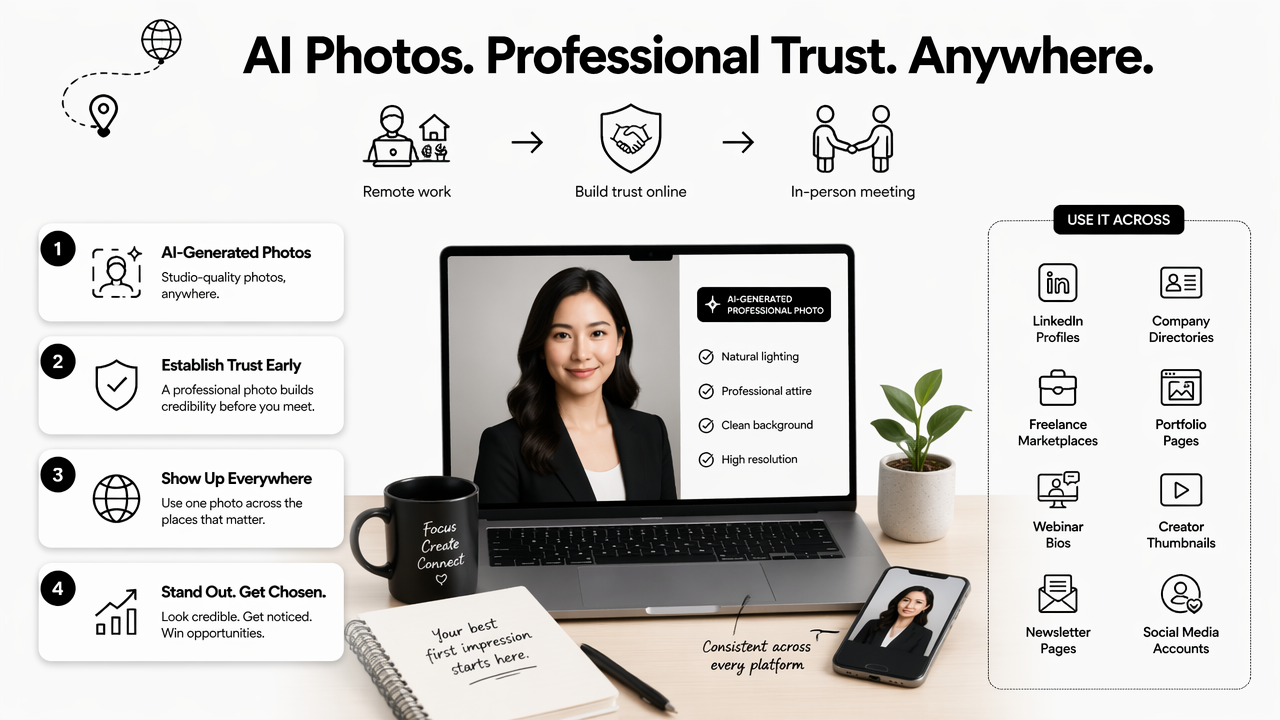
A remote profile image has to answer three silent questions fast: who the person is, what role the person plays, and whether the person looks credible enough to contact. That makes image context more important than pure beauty.
Remote-work photo use cases by platform
| Platform or channel | Best photo style | Why it works |
|---|---|---|
| Clean headshot, neutral background, direct eye contact | Supports hiring, networking, and recruiter review | |
| Slack or Teams | Friendly portrait, softer lighting, casual-professional clothing | Makes distributed teammates feel more familiar |
| Upwork or Fiverr | Clear face, role-relevant styling, uncluttered background | Builds trust before a proposal is read |
| Personal website | Editorial portrait or workspace image | Gives a founder, consultant, or creator a stronger story |
| Webinar or podcast bio | High-resolution cropped portrait | Works across event pages, banners, and speaker cards |
| Social media | Branded image set with repeated colors or visual motifs | Creates recognition across posts and profiles |
Different industries also call for different visual signals. A remote finance consultant may need a sharper business portrait, while a fitness entrepreneur may need a more energetic visual system. Related brand assets, such as a fitness Shopify logo AI generator or a fitness Instagram Facebook ad AI generator, can help creators keep profile photos, ads, and storefront visuals aligned.
For content-heavy professionals, the profile image is only one part of the visual stack. A coach or creator who publishes video may pair a professional portrait with a fitness Shopify YouTube thumbnail AI generator so channel visuals feel consistent from bio to content card.
How should remote workers choose an AI photo generator?
Remote workers should choose an AI photo generator by checking realism, identity accuracy, style control, export quality, privacy expectations, and platform fit. The best tool is not always the one with the flashiest examples. It is the one that produces believable images that match the professional setting where they will appear.
A 2023 article by Budhwar, Chowdhury, and Wood in the Human Resource Management Journal examined generative AI in HR contexts, including research directions around work and organizational use (source). For job seekers and remote employees, that broader HR connection matters because profile photos often appear in hiring, onboarding, and internal identity systems.
Selection checklist for work-ready AI photos
- Identity match: The face should remain recognizable from the source images.
- Professional realism: Skin texture, eyes, teeth, hands, and hair should look natural.
- Style control: The tool should support prompts for clothing, background, mood, and crop.
- Use-case variety: Outputs should work for LinkedIn, team pages, creator profiles, and bios.
- Export quality: Files should be sharp enough for web pages, profile crops, and speaker cards.
- Brand consistency: Colors, backgrounds, and visual tone should match the professional's niche.
Common mistakes to avoid before publishing
- Using a headshot that changes facial structure too much.
- Choosing a background that looks more like a movie set than a work setting.
- Publishing the same image everywhere when platforms need different crops.
- Over-smoothing skin until the face looks synthetic.
- Ignoring accessibility, contrast, and small-screen visibility.
AI images can help remote professionals move faster, but review still matters. Construction and smart-vision research by Baduge, Thilakarathna, and Perera shows how AI vision methods are applied in technical fields where interpretation and accuracy matter (2022 source). Profile imagery is less technical, but the same lesson applies: visual outputs need human judgment before they are trusted.

Which photo styles work best for remote profiles?
The best remote-profile photo styles are realistic, role-specific, and easy to recognize at small sizes. A strong set usually includes a primary headshot, a warmer team-photo style, a creator or founder portrait, and one branded image for social channels or newsletters.
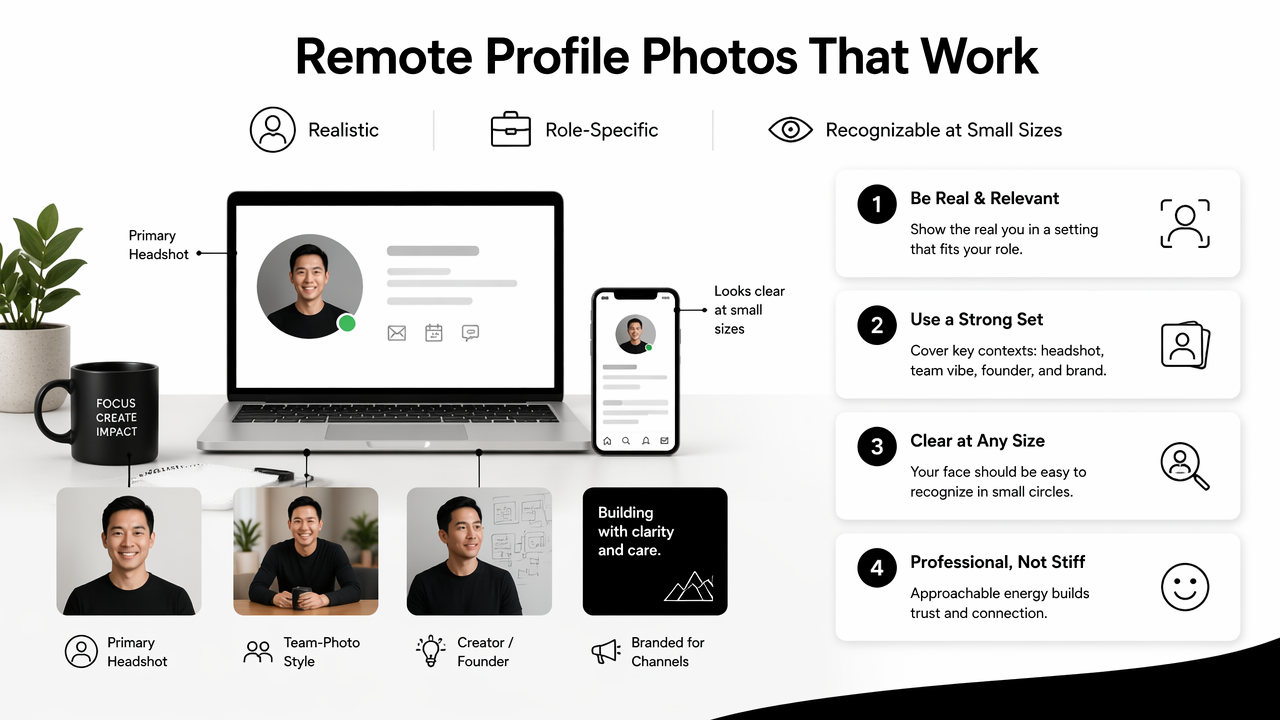
Professional photos do not have to look stiff. Remote work has made business imagery less formal, especially for freelancers, founders, and creators. Still, there is a gap between approachable and careless. The safest style is clean, confident, and lightly branded.
Practical style prompts by remote role
- Job seeker: neutral background, crisp shirt or blazer, natural smile, bright but soft lighting.
- Software developer: smart-casual clothing, calm workspace background, simple color palette.
- Consultant: polished portrait, direct eye contact, subtle office or studio backdrop.
- Founder: editorial portrait, brand colors, confident posture, website-ready crop.
- Creator or coach: warmer expression, lifestyle background, clear niche signal.
- Dating app user with a professional angle: authentic lighting, relaxed clothing, no corporate staging.
The strongest image sets create consistency across work and content channels. A remote fitness coach, for example, may use a polished profile image for LinkedIn, then extend the same colors into a fitness TikTok banner AI generator and a fitness Shopify quote post AI generator.
How Looktara handles profile-to-brand consistency
Looktara is most useful when a remote professional needs more than a single headshot. The platform can support a wider visual identity, including profile-style images, social assets, ads, covers, and thumbnails that feel related.
That matters for entrepreneurs and creators because audiences often see a person across several touchpoints before taking action. A profile photo may appear next to a post, a store, a video, or a paid ad. Consistency makes the person easier to remember. For direct access, visit looktara.com and build from a clear use case rather than a vague prompt.
What to expect from AI profile photos in 2027
AI profile photos in 2027 will likely become more personalized, more regulated by platform policies, and more integrated into everyday professional branding workflows. The biggest shift will be from one-off headshots toward reusable visual systems for personal brands, teams, and independent workers.
Remote teams already need consistent profile images across HR platforms, org charts, internal chat, and public company pages. AI tools are well suited to that need because they can generate coordinated styles without scheduling every employee for a shoot.
Likely changes for remote professionals
- More platform-specific presets: Tools will likely offer direct formats for LinkedIn, Slack, Zoom, creator pages, and marketplaces.
- Better identity preservation: Models should become stronger at keeping facial likeness stable across poses and lighting.
- Clearer disclosure norms: Some platforms may ask users to label AI-generated or AI-edited images.
- Team-wide visual templates: Distributed companies may create branded photo rules for every employee profile.
- Faster brand asset production: Headshots, banners, ads, and thumbnails may be generated as one connected kit.
The next stage is less about replacing photographers and more about expanding access. Traditional shoots will still make sense for executives, campaigns, and high-stakes media. AI-generated options will keep growing for routine updates, freelance profiles, creator branding, and remote-first teams that need speed.
Best practice for 2026 and beyond: Treat AI profile photos as professional identity assets, not disposable images.
Frequently asked questions
Are AI-generated headshots acceptable for LinkedIn?
AI-generated headshots are acceptable for LinkedIn when they look realistic, current, and honest. The image should preserve the person's actual appearance and avoid misleading changes to age, facial structure, or professional setting. A clean crop, natural expression, and simple background usually work better than dramatic studio effects.
How many source photos are needed for a good AI profile image?
Most AI photo workflows perform better when the source set includes several clear images with different angles, expressions, and lighting conditions. The exact number depends on the tool. Strong inputs usually include sharp face visibility, no heavy filters, and recent photos that reflect the person's current look.
Can remote teams use AI photo generators for employee directories?
Remote teams can use AI photo generators for employee directories when the company sets clear style rules and review standards. A shared background, similar crop, and consistent lighting can make a distributed team page look more unified. Consent and accuracy should be handled before images are published internally or externally.
What makes an AI profile photo look fake?
An AI profile photo often looks fake when the skin is too smooth, the eyes are uneven, the teeth look distorted, or the background has strange details. Overly formal clothing, unrealistic lighting, and facial changes that do not match real photos also reduce trust.
Conclusion
The smartest use of an artificial intelligence photo generator for remote workers is not to create one perfect portrait. It is to build a small, realistic image set for the places where professional trust is formed: LinkedIn, team tools, marketplaces, websites, and creator channels. The next step is simple: define the platform, choose the role-specific style, review every output for likeness, then publish only the images that feel credible at first glance. For a broader visual system around that profile image, head to looktara.com and create brand assets that support the same professional identity.
Generated by EarlySEO.com