
TL;DR
Realistic AI profile portraits work best when the tool preserves facial likeness, supports clean business backgrounds, and exports high-resolution images for LinkedIn, resumes, websites, and dating apps. Professionals should prioritize source-photo guidance, privacy terms, outfit realism, and editing control before choosing a generator.
A strong profile portrait now has to work across LinkedIn, resumes, founder pages, podcast tiles, dating apps, and social feeds. An A I photo generator for realistic profile portraits can reduce studio friction, but only if the output still looks like the real person. For career-focused headshots, Looktara is most useful when the goal is a polished, natural portrait rather than fantasy art or heavy stylization.
AI photo generator: software that uses generative artificial intelligence to create or edit images from text prompts, reference photos, or both.
Key takeaway: realism is not the same as beauty. A usable profile portrait should preserve identity, lighting logic, facial proportions, and professional context.
Table of Contents
What is an A I photo generator for realistic profile portraits?
An A I photo generator for realistic profile portraits creates headshot-style images that resemble a real person and fit practical profile uses such as LinkedIn, resumes, websites, creator bios, and dating apps. The best tools combine identity preservation, natural lighting, believable clothing, and editable backgrounds instead of producing generic model-like faces.
Academic research gives useful context for how this works. A 2021 review of artificial intelligence in the creative industries examined how AI systems support image, video, and creative production. Work on detailed 3D face modeling from in-the-wild images also shows why face shape, pose, and expression are hard technical problems, not simple filters.
Core terms that affect portrait realism
Likeness accuracy: the degree to which generated images preserve the subject's real facial structure, age range, expression style, and recognizable features.
Source-photo requirements: the number, variety, and quality of input photos needed to guide the model.
Background quality: how naturally the tool places the person into office, studio, outdoor, or lifestyle settings.
Outfit realism: whether clothing follows body shape, lighting, fabric texture, and professional norms.
Download resolution: the final image size and quality available for profile pages, websites, print assets, or media kits.
How profile portraits differ from artistic AI portraits
Artistic portrait generators often reward dramatic prompts, painterly styles, fantasy lighting, and exaggerated features. Professional profile portraits reward restraint.
A realistic portrait should pass a simple test: a recruiter, client, date, or podcast host should recognize the person when meeting on a video call. Research on AI-generated characters for personalized learning and well-being highlights the wider use of synthetic human imagery, but profile portraits have a narrower job: clear trust.
- Good for profiles: neutral lighting, accurate eyes, natural skin texture, realistic hair, plain or brand-safe backgrounds.
- Risky for profiles: plastic skin, mismatched earrings, warped teeth, strange hands, fake-looking suits, or overly cinematic lighting.
- Best middle ground: lightly polished portraits that look recent, flattering, and plausible.
How should professionals choose a realistic AI portrait generator?
Professionals should choose a realistic AI portrait generator by scoring likeness accuracy, input-photo rules, background control, outfit realism, privacy, and export resolution before considering price or speed. A fast tool that changes facial identity is less useful than a slower tool that creates credible portraits for real profiles.
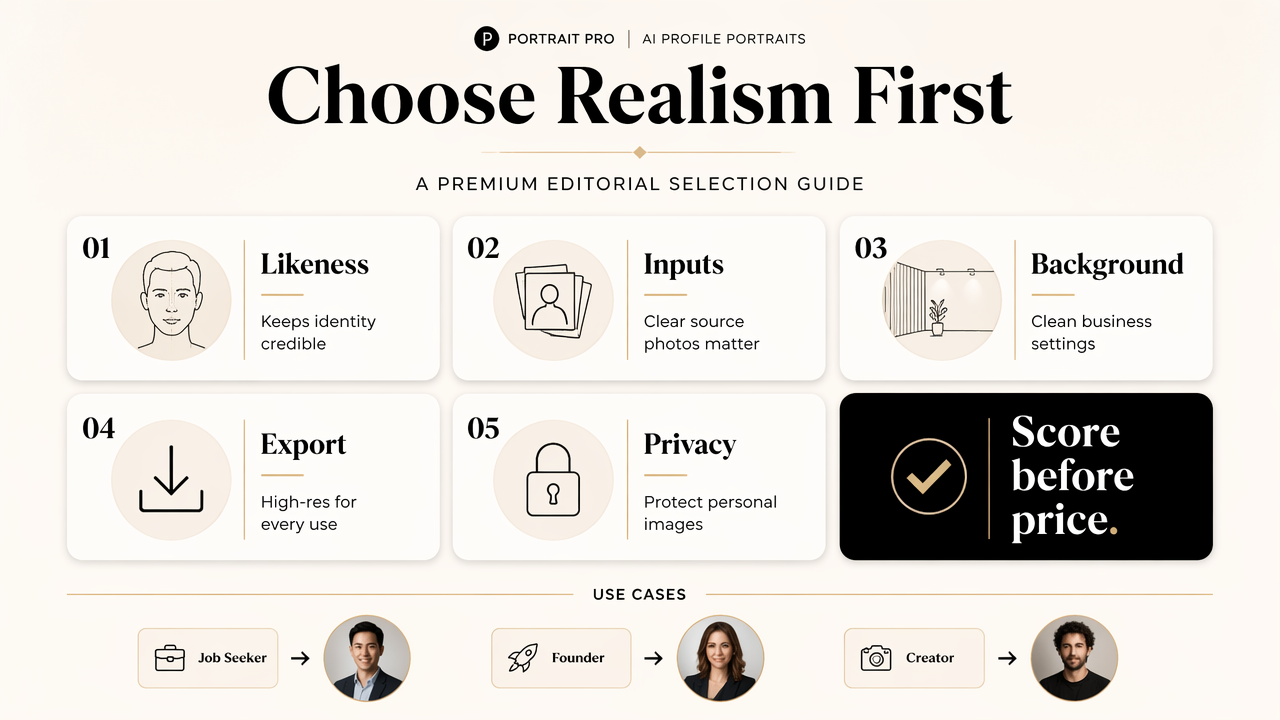
The selection process should start with the use case. A job seeker needs conservative headshots. A founder may need portraits for a website hero, investor deck, and media bio. A creator might need several versions for social platforms, including matching assets such as a podcast cover image or branded post design.
Selection criteria for realistic profile portraits
| Criterion | What to check | Why it matters |
|---|---|---|
| Likeness accuracy | Face shape, eyes, smile, hairline, age realism | Prevents a polished image from becoming a different person |
| Source photos | Clear, varied photos with different angles and lighting | Better inputs usually support more stable outputs |
| Backgrounds | Office, studio, outdoor, plain, or brand-specific options | Keeps the image aligned with LinkedIn, websites, or dating apps |
| Outfit realism | Natural fabric, correct fit, professional styling | Avoids fake suits, odd collars, and distorted accessories |
| Privacy | Clear data handling, deletion options, and usage terms | Protects biometric-like face data and personal images |
| Resolution | Large downloads for web, social, and print reuse | Prevents blurry thumbnails and poor website crops |
A practical scoring checklist
A simple scorecard keeps the decision grounded. Each factor can be rated from 1 to 5 after reviewing sample outputs and product terms.
- Check whether the generated portrait still looks like the same person.
- Review eyes, teeth, ears, hairline, glasses, and skin texture at full size.
- Compare clothing seams, collars, jewelry, and hands for visual errors.
- Confirm that backgrounds match the intended platform and audience.
- Read privacy terms before uploading personal face photos.
- Download a test image and crop it to LinkedIn, resume, and mobile sizes.
A realistic profile portrait should look better than a casual selfie, but not so edited that it creates doubt during a real meeting.
Which profile portrait style fits each platform?
Each platform needs a different level of polish, so the best AI profile portrait style depends on where the image will appear. LinkedIn and resumes favor clean headshots, founder pages need brand consistency, social profiles allow more personality, and dating apps benefit from authentic lifestyle cues.
The Looktara platform fits this practical middle ground because profile images rarely live in one place. A person may need a formal headshot, a softer social crop, and supporting brand visuals. Related assets, such as a website hero image, can help maintain the same visual identity across a personal site or business page.
Best-fit portrait styles by use case
| Use case | Best portrait style | Avoid |
|---|---|---|
| Neutral background, business-casual outfit, direct eye contact | Fashion-editorial lighting or dramatic filters | |
| Resume | Clean crop, simple attire, minimal background detail | Busy scenes that distract from credentials |
| Founder bio | Polished studio or office portrait with brand colors | Generic corporate stock-photo styling |
| Creator profile | Brighter expression, recognizable personal style | Over-stylized images that hide identity |
| Freelancer site | Approachable portrait with workspace context | Heavy retouching that reduces trust |
| Dating app | Natural expression, casual setting, realistic lighting | Corporate headshot stiffness or obvious AI texture |
Profile sets work better than one perfect image
One image rarely covers every context. A stronger approach is a small portrait set with consistent likeness and varied tone.
- Professional primary: LinkedIn, resume, company bio, conference page.
- Approachable secondary: freelance marketplace, creator profile, newsletter author box.
- Brand-support image: website banner, media kit, speaking page.
- Casual authentic image: dating profile, social intro, community page.
Consistent visual systems also help people who publish content regularly. A matching quote post design or social graphic can extend the same profile look into everyday posts without rebuilding a brand style from scratch.
What mistakes make AI headshots look fake?
AI headshots look fake when the model over-smooths skin, changes facial structure, invents unrealistic clothing, or places the person in a background with inconsistent light. The most common failure is not a strange artifact; it is a portrait that looks attractive but no longer matches the real person.
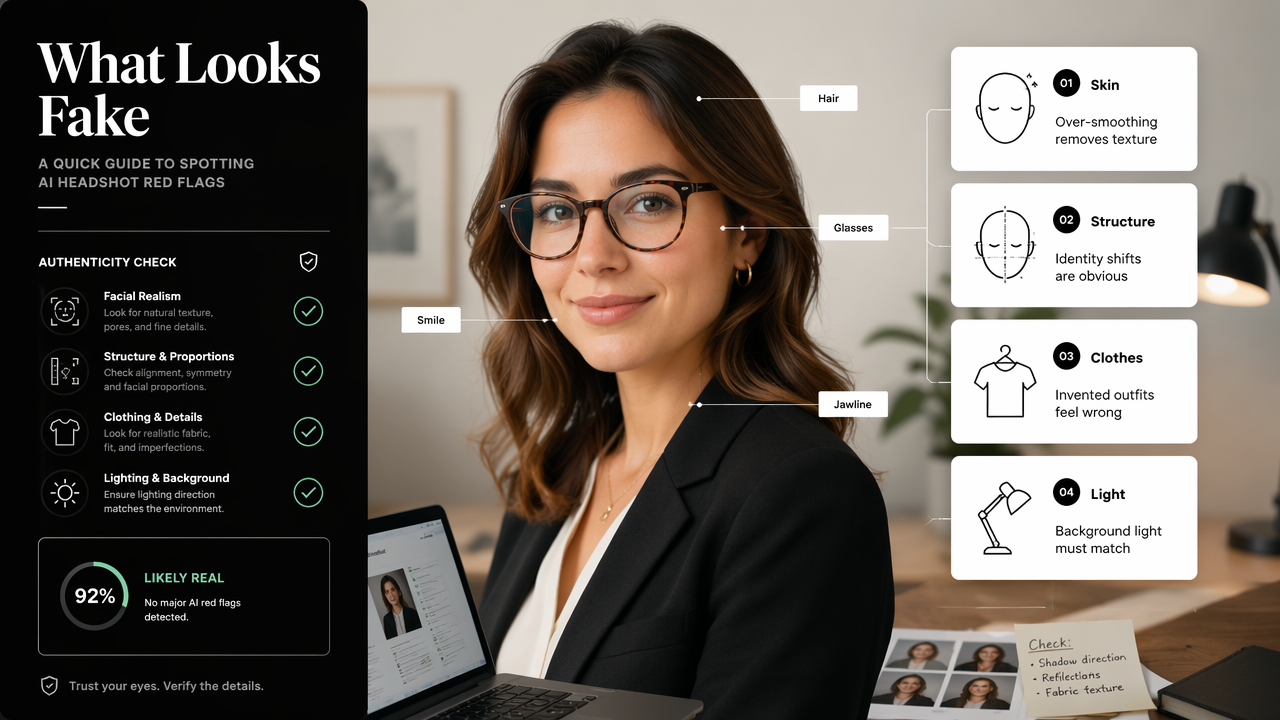
Many generators market speed and style variety, which can be useful. Still, realistic profile portraits demand tighter quality control. A model trained for creative outputs may produce impressive art while struggling with subtle identity cues such as asymmetrical smiles, hair texture, glasses shape, or age-appropriate skin detail.
Quality-control checks before publishing
A final review should happen at full resolution, not just in a small preview grid.
- Zoom into the eyes and confirm both look aligned and natural.
- Check teeth, ears, fingers, earrings, and glasses for distortion.
- Compare the jawline, nose, and smile against recent real photos.
- Test the crop in a circle, square, and horizontal website frame.
- Ask whether the portrait would feel honest in a live interview or first meeting.
The safest profile image is not the most flawless one. The safest profile image is the one that builds recognition before the first conversation.
Privacy questions that deserve a real answer
Face photos are sensitive because they can reveal identity, age, style, and personal context. Before uploading images, users should look for clear language about storage, model training, deletion, commercial rights, and download ownership.
A practical rule is simple: if the terms are vague, the portrait is not worth the risk. Professionals handling client trust, hiring, public speaking, or founder visibility should treat headshot generation like any other brand or identity decision.
How will realistic AI profile portraits evolve in 2027?
Realistic AI profile portraits will likely become more identity-stable, easier to edit, and more connected to full personal-brand asset creation in 2027. The biggest shift will be from one-off headshots to reusable visual identity systems that keep the same person recognizable across photos, banners, ads, and social posts.
Current AI image tools already range from portrait generators to full creative studios. The next step is consistency: the same face, wardrobe style, color palette, and brand tone across professional channels. For entrepreneurs and creators, with Looktara can mean building profile portraits alongside campaign visuals such as a Facebook ad creative or a social post image.
What to expect from next-generation portrait tools
- Better identity locking: fewer changes to face shape, age, or expression patterns.
- More editable sessions: users may adjust outfit, background, crop, and lighting without regenerating from scratch.
- Clearer disclosure norms: platforms and employers may expect honest use of AI-enhanced imagery.
- Brand-kit integration: portraits will sit beside banners, ads, flyers, and content graphics.
- Higher-resolution exports: realistic headshots will need to work across thumbnails, websites, and print.
The strongest tools will not simply make people look polished. They will help maintain a recognizable public identity across channels.
FAQ
Can AI-generated portraits be used on LinkedIn?
AI-generated portraits can be used on LinkedIn when they accurately represent the person and maintain a professional style. The safest choice is a realistic headshot with natural lighting, current appearance, and minimal retouching. Images that change facial structure, age, or identity can reduce trust during interviews or networking calls.
How many source photos are best for a realistic AI headshot?
Realistic AI headshots usually improve when source photos show varied angles, expressions, and lighting. Clear, recent images are more useful than old selfies or heavily filtered photos. The exact number depends on the tool, but variety matters because it helps the model understand stable facial features.
Are AI portraits better than studio photography?
AI portraits are better for speed, cost control, and generating multiple styles, while studio photography can still provide the strongest control over lighting, pose, and authenticity. For many professionals, the practical choice is using AI for profile refreshes and reserving studio sessions for major brand campaigns or press needs.
What resolution should a profile portrait download have?
A profile portrait should download at a high enough resolution for cropping across LinkedIn, websites, resumes, and media kits. Small preview images may look fine in a generator but become blurry when cropped. High-resolution exports give more flexibility for square, circular, and horizontal layouts.
Where can realistic profile portraits fit into a brand system?
Realistic profile portraits fit into resumes, founder pages, social profiles, press kits, email bios, and content graphics. A consistent portrait style also supports broader brand assets. For a focused next step, visit looktara.com and create a small set of professional, social, and brand-ready profile images.
Conclusion
The best A I photo generator for realistic profile portraits is the one that protects likeness first, then improves polish, background, outfit, and resolution. A practical decision starts with the scorecard: identity accuracy, source-photo quality, background control, outfit realism, privacy terms, and export size.
For job seekers, founders, freelancers, creators, and dating app users, the next step is to build a small portrait set rather than chase one perfect image. Looktara can support that profile refresh, especially when realistic headshots need to match wider personal-brand visuals. Start with one professional portrait, one approachable portrait, and one brand-ready crop, then publish only the versions that would still feel honest in a real meeting.
Generated by EarlySEO.com