
TL;DR
Freelancers and consultants should choose a photo generator around the intended use: recognizable headshots, branded content, or campaign visuals. Start with one channel, check commercial-use and privacy terms, and approve a small set of believable images before expanding production.
A professional profile photo should make a freelancer recognizable, not merely polished. An ai photo generator for freelancers and consultants can support LinkedIn profiles, service pages, and branded content when the image brief starts with a clear business purpose.
AI photo generator: Software that uses generative artificial intelligence to create or transform photographic-style images from instructions, reference images, or both.
For professionals exploring branded imagery, Looktara is a relevant starting point. The practical goal is a coordinated image set that suits the consultant's audience, services, and actual appearance.
Table of Contents
What should an AI photo generator do for freelancers?
An AI photo generator for freelancers should produce images that fit a defined professional task, such as a recognizable profile portrait, a website banner, or supporting social content. Selection should depend on identity consistency, image controls, usage rights, and publishing requirements rather than the number of images offered.
Separate headshots from broader brand photography
AI headshot: A generated or transformed portrait intended to represent a specific person professionally.
AI brand photo: A photographic-style image designed around a business's visual identity, setting, or message.
AI product photo: An image focused on an item rather than the professional selling or promoting it.
These categories serve different needs. A freelance accountant needs a trustworthy portrait for a service page. A fitness consultant may also need promotional images of equipment or products. A general image generator that makes attractive scenes isn't automatically suitable for preserving a real person's likeness.
- LinkedIn and freelance profiles: Prioritize a clear face and readable thumbnail.
- Consulting websites: Match the image to the service and surrounding page design.
- Proposals and speaker materials: Use a consistent portrait across client-facing documents.
- Social campaigns: Plan supporting visuals around each post's message.
A useful brief identifies one primary destination before choosing styles. Otherwise, a large image collection can become a collection without a purpose.
Which photo workflow fits the business need?
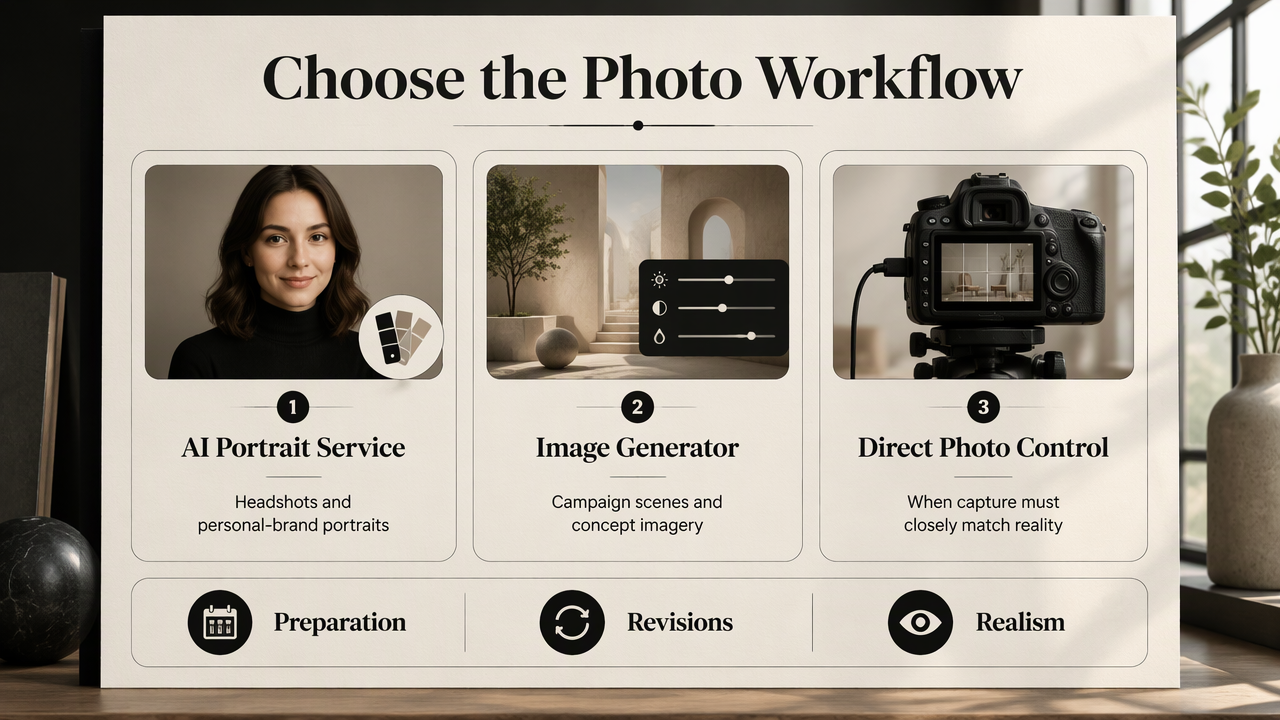
The best photo workflow depends on whether the task requires a faithful portrait, flexible creative scenes, or direct photographic control. Price matters, but a useful comparison also includes preparation, revision options, and how closely the result must match reality.
Compare three practical production options
| Workflow | Best-fit task | Selection question |
|---|---|---|
| Identity-focused AI portrait service | Headshots and personal-brand portraits | Can samples maintain a recognizable likeness across styles? |
| General-purpose AI image generator | Concept imagery and supporting campaign scenes | Does the tool offer suitable composition and editing controls? |
| Photographer or existing-photo editing | Precise representation and directed photography | Does the project require a real location, product, or documented event? |
A portrait service is the logical starting category for professionals who need a small, coordinated headshot set. General-purpose generation suits conceptual content. Photography remains a strong choice when the assignment depends on capturing a specific person, object, or event as it actually appeared.
Evaluate the cost of approved images
A low package price doesn't establish value. Selection takes time, and images that need substantial correction may not serve the intended channel.
Before purchasing, check:
- Whether commercial use covers the intended website, advertisement, or client project.
- How uploaded portraits are stored, retained, and deleted.
- Whether revisions, exports, and additional styles carry separate charges.
- Whether sample images resemble ordinary professionals rather than only idealized models.
The most useful budgeting unit is the approved, publishable image, not the generated image. A written brief and a short acceptance checklist make that unit easier to judge.
How Looktara fits a freelance photo workflow
Looktara fits a freelance photo workflow as an option to explore for professional and branded imagery, with the intended channel guiding the brief. A consultant can begin with a profile-photo need, then consider related campaign assets that share the same audience, visual tone, and business purpose.
Build around a specific consulting niche
A fitness freelancer offers a concrete example of channel-led planning. A professional-network post, an Instagram promotion, and a client newsletter have different jobs, even when they promote the same service.
Relevant starting points include:
- Fitness product imagery for LinkedIn for business-facing promotional content.
- Fitness product imagery for Instagram for visually led social campaigns.
- Fitness newsletter product imagery for email content supporting a specific offer.
These destinations concern product imagery rather than personal headshots. They suit freelancers whose work includes fitness products, equipment, or promotional content; other consultants should keep their briefs focused on their own services.
Connect each asset to a client action
For a fitness-commerce consultant preparing a presentation, pitch-deck slide imagery provides another relevant planning direction. The image should support the slide's message rather than compete with the proposal text.
A useful brand image has a defined job: introduce the professional, explain the offer, or support the next client action.
A small asset plan might specify one profile portrait, one service-page image, and one campaign visual. That scope keeps review manageable and creates a clear basis for evaluating results.
How can consultants create credible AI photos?
- Define the publishing destination and the image's business purpose.
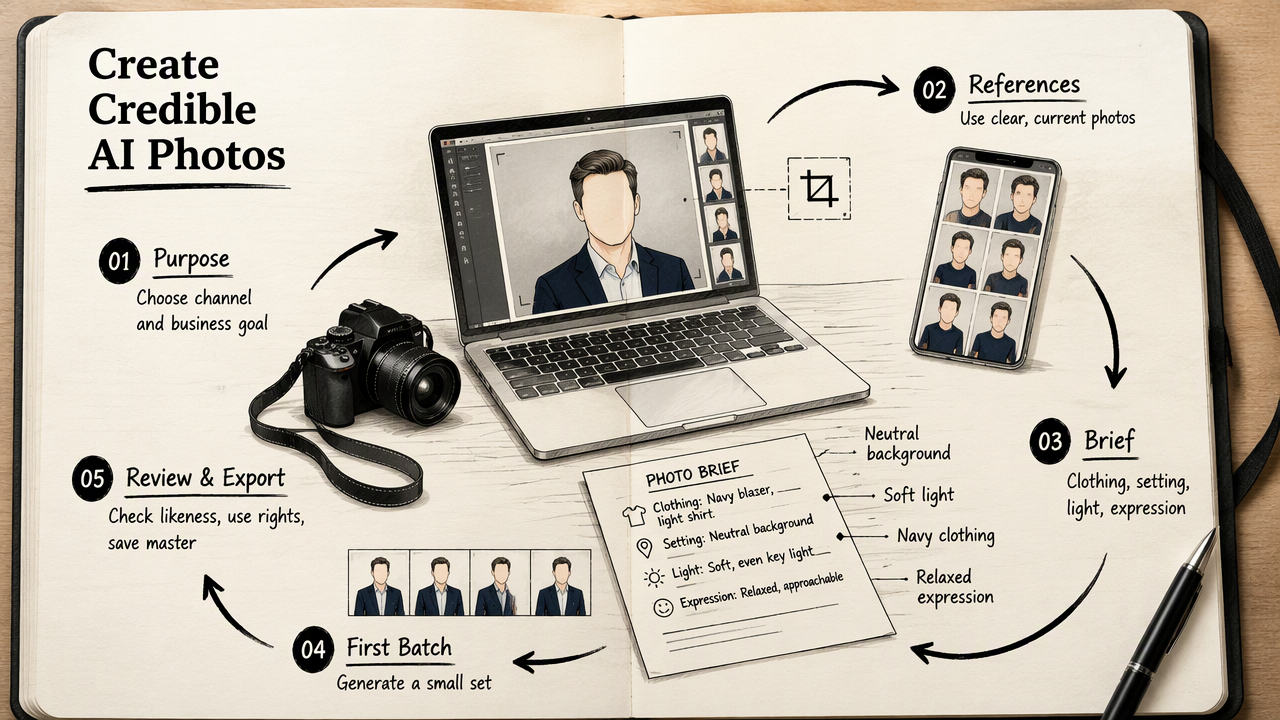
- Select clear, current reference photos when the service requires them.
- Write a brief covering clothing, setting, lighting, and expression.
- Generate a small initial batch before expanding the assignment.
- Review likeness, details, and permitted use.
- Export for the destination and retain an approved master copy.
Turn a service description into a visual brief
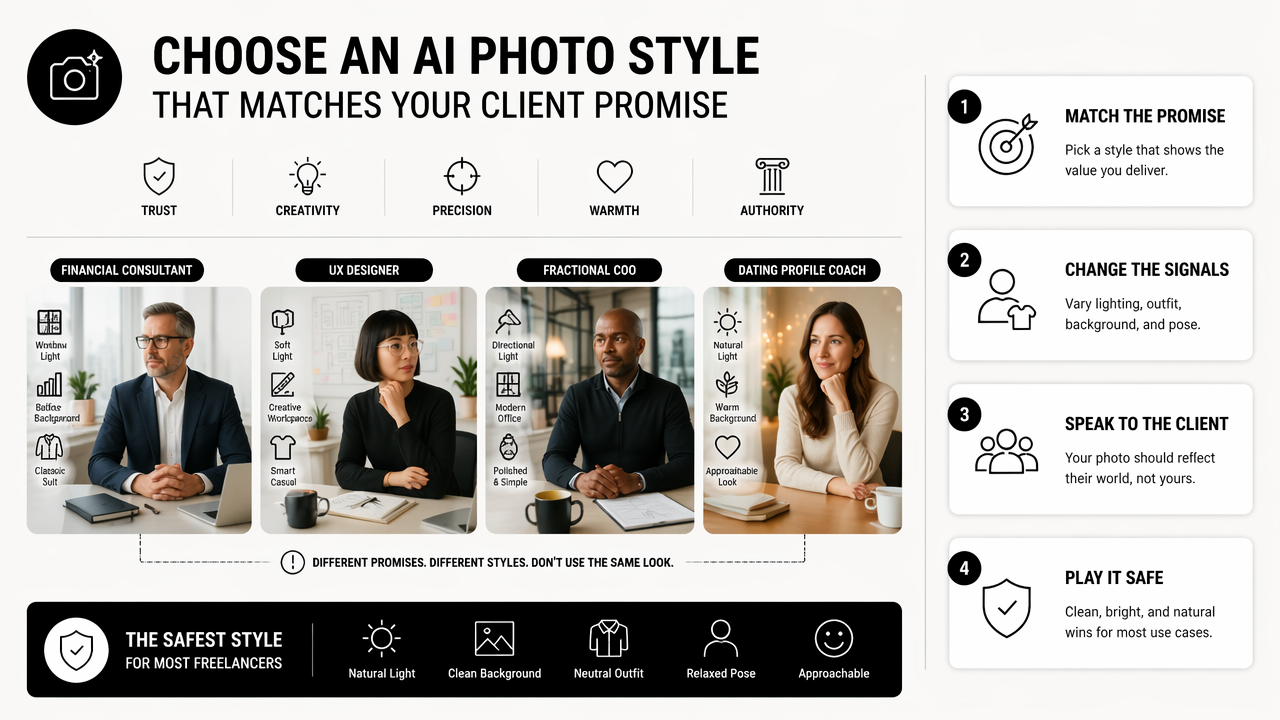
A remote operations consultant's brief could request a head-and-shoulders portrait, neutral background, soft lighting, navy clothing, and a relaxed expression. A website banner may need a different composition with empty space beside the subject for text.
Useful brief fields include destination, crop, background, wardrobe, and expression. Plain descriptions usually make review easier than vague requests for a premium or impressive result.
If reference photos are required, use current images with visible facial details and permission from the person depicted. Keep client materials, confidential documents, and unrelated people out of the upload set.
Approve identity and details before publishing
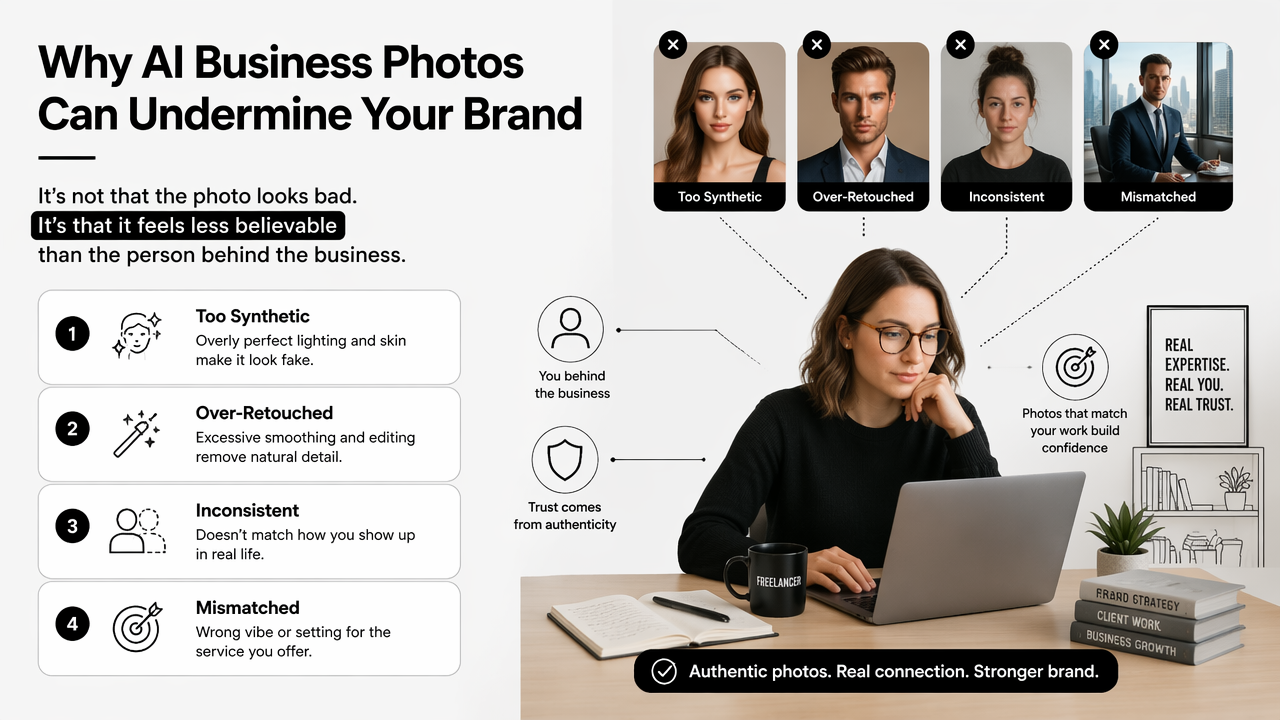
Review should compare the output with the real person, not just with an aesthetic preference. Check face shape, hair, skin tone, glasses, and other recognizable features. Then inspect teeth, hands, jewelry, clothing edges, and background objects.
A colleague who knows the consultant can offer a useful likeness check. Preview the image at its actual display size, especially when it will appear as a small profile thumbnail.
Research by Natalia Särmäkari and Annamari Vänskä, published in 2021, examined fashion designers experimenting with generative algorithms. That older research concerns creative practice, not headshot performance, so it shouldn't be treated as evidence of better client conversion.
What should consultants prioritize for 2027?
Consultants should prioritize documented permissions, repeatable review, and consistent identity as their AI-photo workflows develop toward 2027. Those are practical planning priorities, not predictions about particular tools. Keeping the brief, approved files, and usage terms together makes future updates easier when platforms, services, or branding change.
- Retain the original references and approved exports securely.
- Record the service and usage terms associated with each image set.
- Revisit portraits when appearance or professional positioning changes.
FAQ: AI photos for freelance professionals
The practical questions about AI-generated professional photos concern acceptability, rights, budget, and disclosure.
Can freelancers use AI headshots on LinkedIn?
AI headshots can be considered for LinkedIn when they accurately represent the professional and meet the platform's current requirements. The strongest choice is recognizable at thumbnail size and consistent with the person clients will meet. Before publishing, check current platform rules and avoid images that suggest credentials, workplaces, or affiliations that don't exist.
Are AI-generated photos suitable for commercial use?
Commercial suitability depends on the service's terms and the content of the image. A consultant should check permitted uses, restrictions, and rights connected to uploaded references. Client campaigns may need additional review, particularly when images include recognizable people, branded products, or protected material. Purchasing access alone shouldn't be treated as proof of unrestricted rights.
Is a free AI photo generator enough for consulting work?
A free generator may be enough for testing a visual direction, but suitability depends on the actual output and terms. Before relying on it for client-facing work, check:
- Export quality at the required size.
- Commercial-use permissions.
- Identity consistency across selected portraits.
- Privacy controls for uploaded images.
A small test assignment is more useful than choosing solely by price.
Should consultants disclose that a photo is AI-generated?
Disclosure depends on context, applicable requirements, and what the image communicates. A styled portrait differs from an image presented as evidence of a real event or customer result. Consultants should follow platform rules and client agreements, and provide clear context whenever viewers could reasonably mistake generated content for documented reality.
Conclusion
A useful ai photo generator for freelancers and consultants supports a specific business task and a recognizable professional identity. Start with one destination, write a short brief, and approve a small image set against clear publishing criteria.
For professionals ready to explore Looktara, visit looktara.com and begin with a defined profile or campaign requirement. Keep the approved portrait, channel-specific assets, and usage records together so the next brand update starts from an organized foundation.
Generated by EarlySEO.com